Step 3: Assign roles to the Worker app
In the application information page for your new Worker app, you’ll assign the roles that grant admin-level permissions to the Worker app.
-
In the Roles tab, click Grant Roles. The best practice is to ensure the roles assigned to the Worker app are limited to only those necessary. For this workflow, grant the roles and permissions as shown.
1a. Assign the Organization Admin role as shown. This role is needed to create a new environment:
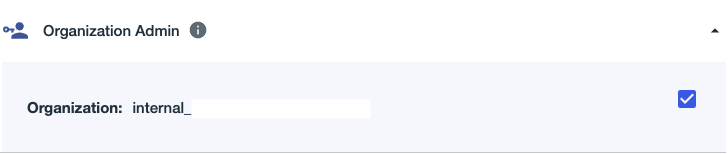
1b. Expand the Environment Admin role:
1c. Click the Organization checkbox for the Environment Admin role, and note the information displayed:
-
Click Save.
-
The roles and permissions you’ve granted are then displayed. They should look like this:
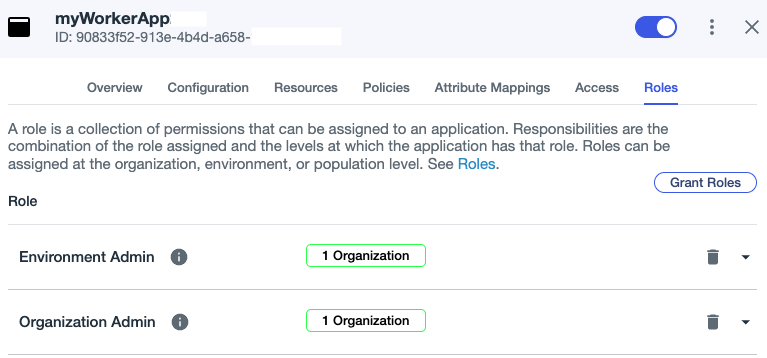
|
The roles and permissions apply only to the Worker app, and not to any PingOne admin user. We’ll show you how to assign these permissions to an admin user when you get to the create a test environment workflow. |
When you subsequently call Management API requests, as you will in steps 2-5 of the next workflow to create a test environment, you’ll see one or more of these PingOne role icons beneath the request title:
| Role | Icon | Abbr. | Can Assign |
|---|---|---|---|
Organization Admin |
ORG |
Environment Admin |
|
Environment Admin |
ENV |
All roles except Organization Admin |
|
Identity Data Admin |
IDA |
Identity Data Admin, Identity Data Read-Only Admin |
|
DaVinci Admin |
DVA |
DaVinci Admin, DaVinci Read-Only Admin |
|
Custom Role Admin |
ROLE |
None |
|
Application Owner |
APP-O |
None |
|
Identity Data Read-Only Admin |
IDA-R |
None |
|
Configuration Read-Only Admin |
CFA-R |
None |
|
DaVinci Read-Only Admin |
DVA-R |
None |
|
Client Application Developer |
APP |
None |
For example, in the request documentation to GET all applications for an environment, either the Client Application Developer or Environment Admin role is required to call the request:
For some requests, multiple roles have permissions necessary to call the request. As long as your Worker app has at least one of the roles shown for the request, the Worker app can make the call.