Viewing paired accounts on iOS
PingOne iOS
After pairing, you can list the PingOne MFA accounts associated with the paired device. This works the same whether the device was paired in a DaVinci flow or with a QR code or pairing key.
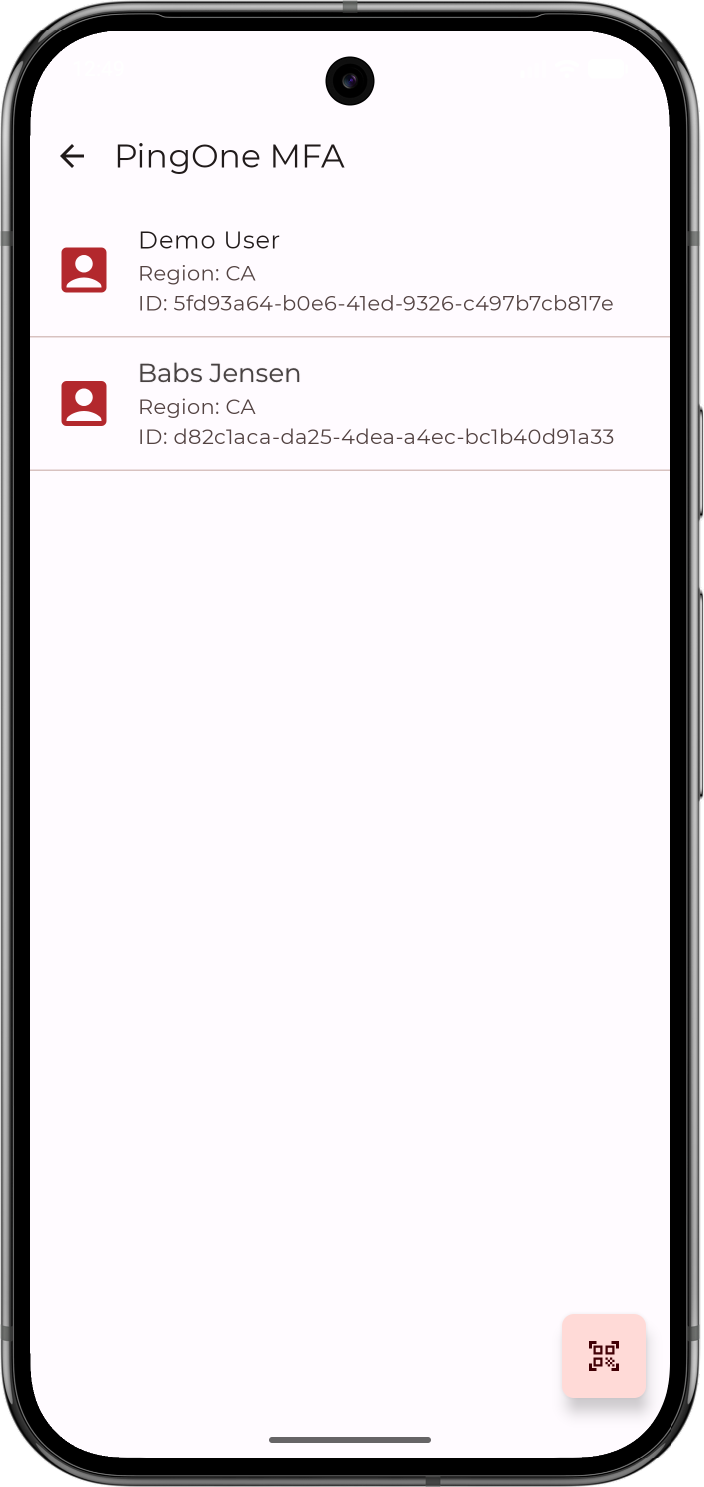
To list PingOne MFA accounts for a device, call getDeviceInfo(). The function is async throws and returns a PingOneMFADeviceInfo object, which contains the list of accounts paired on the device and a list of diagnostic errors. The error list is nil unless the module encountered errors while retrieving the account data:
do {
    let deviceInfo = try await PingOneMFA.getDeviceInfo()
    for account in deviceInfo.accounts {
        print("\(account.name) \(account.family) | region: \(account.region)")
    }
    // deviceInfo.errors is non-nil only when the SDK returned partial error info alongside
    // valid data. The account list is still safe to use; log the errors for debugging.
    deviceInfo.errors?.forEach { err in
        print("Diagnostic: \(err.message)")
        err.internalErrorsList?.forEach { e in
            print("code=\(e.code) info=\(e.userInfo)")
        }
    }
} catch {
    print("Failed to retrieve accounts: \(error.localizedDescription)")
}
Each element of accounts is a PingOneMfaAccount object. For example, a device paired for a single user in the North America region returns an account like this:
{
  "region": "NorthAmerica",
  "id": "9c7d4a1e-83f2-4b6e-a5d0-2f1c9e8b7a64",
  "deviceId": "3f5a2c8d-1e4b-4f9a-b6c7-8d0e2f4a9b13",
  "environmentId": "b2e1f9a4-6c3d-4e8f-9a2b-5d7c1e3f6a80",
  "name": "Jane",
  "family": "Doe"
}
The properties are:
| Property | Description |
|---|---|
|
The PingOne service region the account belongs to, for example The SDK queries all regions and aggregates the results, so a device can hold accounts in more than one region. |
|
The PingOne user ID. |
|
The ID PingOne assigned to this pairing. |
|
The PingOne environment ID the account belongs to. |
|
The user’s given name. |
|
The user’s family name. |