Localizing UI with the DaVinci client for JavaScript
PingOne JavaScript
You can leverage the languages feature in PingOne to localize your client applications for different audiences.
The DaVinci modules automatically send the preferred languages configured in the browser or mobile device to PingOne so that it can return the appropriate language.
Accept-Language header[Ping SDK 2.1.1] ⬆
Request URL: https://auth.pingone.com/c2a6...1602/as/authorize?response_mode=pi.flow&client_id=85ff...6791&response_type=code&scope=openid&redirect_uri=http://localhost:5829&code_challenge=m8BD...rhPM&code_challenge_method=S256
Request Method: GET
Request Headers: [
"x-requested-platform": "ios",
"Content-Type": "application/json",
"x-requested-with": "ping-sdk",
"Accept-Language": "en-GB, en;q=0.9"
]
Request Timeout: 15.0You can also override the configured settings directly in your code if required.
Before you begin
You must configure PingOne to support multiple languages that your client apps can use:
-
In PingOne, enable the built-in languages you want to support.
Learn more in Enabling or disabling a language.
You can also add your own languages and regions.
Learn more in Adding a language.
-
Ensure your language has the required localized strings for your clients to use.
Learn more in Modifying translatable keys.
You can also add your own keys to a language for use in your client applications.
Learn more in Adding a custom key for DaVinci.
-
Add your localized strings to your chosen implementation:
- PingOne forms
-
Update the fields in your PingOne forms to use translatable keys.
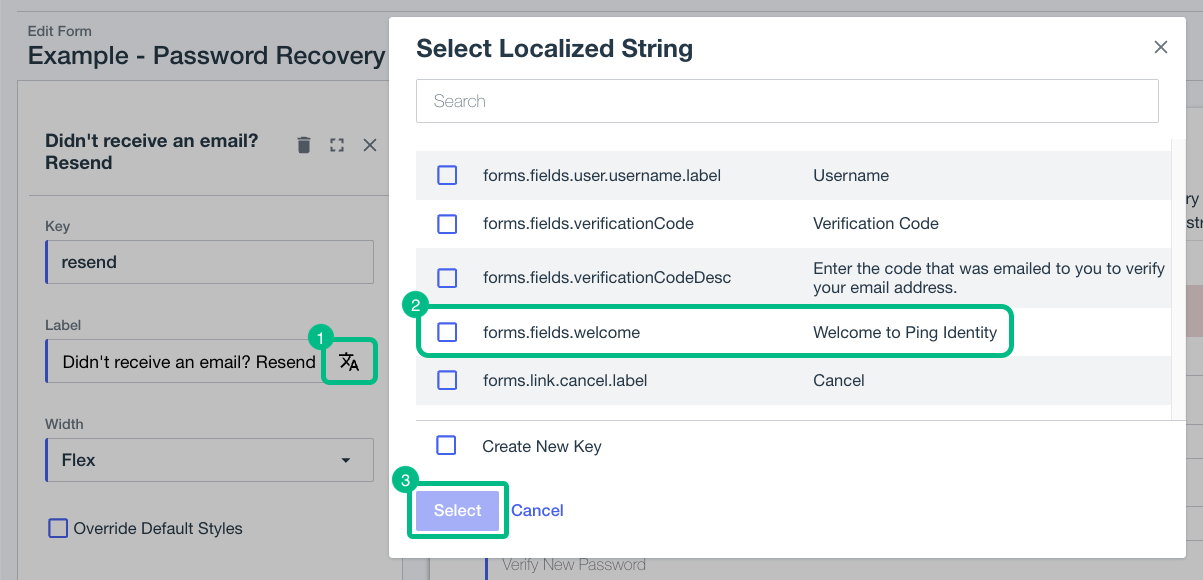 Figure 1. Adding localized strings to a PingOne form
Learn more in Using translatable keys.
- Custom HTTP Connector
-
Update the Output Fields in your custom HTML to use your localized strings.
Adding localized strings to a custom HTTP connector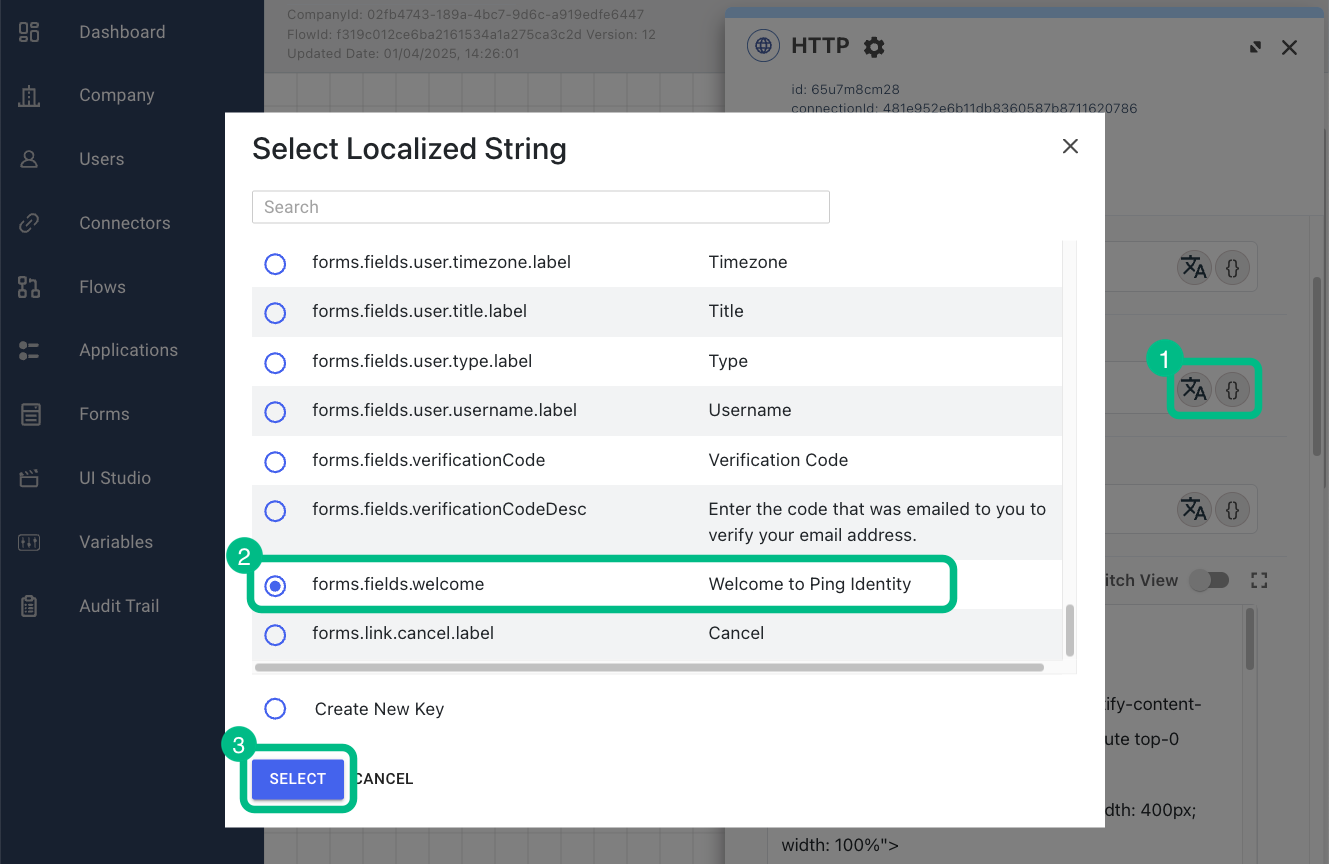
Learn more in HTTP Connector.
Configuring a DaVinci module to send the language header
The DaVinci modules automatically send the Accept-Language header when making requests to the PingOne server. This header includes each of the languages configured on the client device or in the browser, and maintains the order of preference.
The DaVinci module for Android and iOS also add generic versions of sub-dialects configured on the device, to make it more likely that PingOne can fall back to a similar language if the specific sub-dialect is unavailable.
For example, configuring English (British) (en-GB) as a preferred languages causes the DaVinci module to also send English (en) as a fallback option:
"Accept-Language": "en-GB, en;q=0.9"Overriding the automatically-added languages
You can override the default behavior of automatically sending configured languages.
To override the default browser behavior and provide your own values for the Accept-Language header, use the RequestMiddleware type.
Call your request middleware when creating the DaVinci module as follows:
CustomHeader module to override default language behaviorimport { davinci } from '@forgerock/davinci';
import type { RequestMiddleware } from '@forgerock/davinci-client/types';
const requestMiddleware: RequestMiddleware[] = [
(fetchArgs, action, next) => {
fetchArgs.headers?.set('Accept-Language', 'fr-FR, fr;q=0.9');
next();
},
];
const davinciClient = await davinci({
config: {
clientId: '6c7eb89a-66e9-ab12-cd34-eeaf795650b2',
serverConfig: {
wellknown: 'https://auth.pingone.com/3072206d-c6ce-ch15-m0nd-f87e972c7cc3/as/.well-known/openid-configuration',
timeout: 3000,
},
scope: '"openid", "email", "address", "profile", "phone"',
responseType: 'code',
},
requestMiddleware
});