Step 1. Download the samples
PingOne Advanced Identity Cloud PingAM iOS
The quickest and easiest way to get started with the Orchestration SDKs is to download and run one of our sample apps from the SDK Sample Apps repository.
This repo contains example Android, iOS, and JavaScript apps that demonstrate Orchestration SDK functionality.
To download or clone a copy of the SDK Sample Apps repo, complete these steps:
-
In a web browser, navigate to https://github.com/ForgeRock/sdk-sample-apps.
-
Download the source code using one of the following methods:
- Download a ZIP file
-
-
Click Code, and then click Download ZIP.
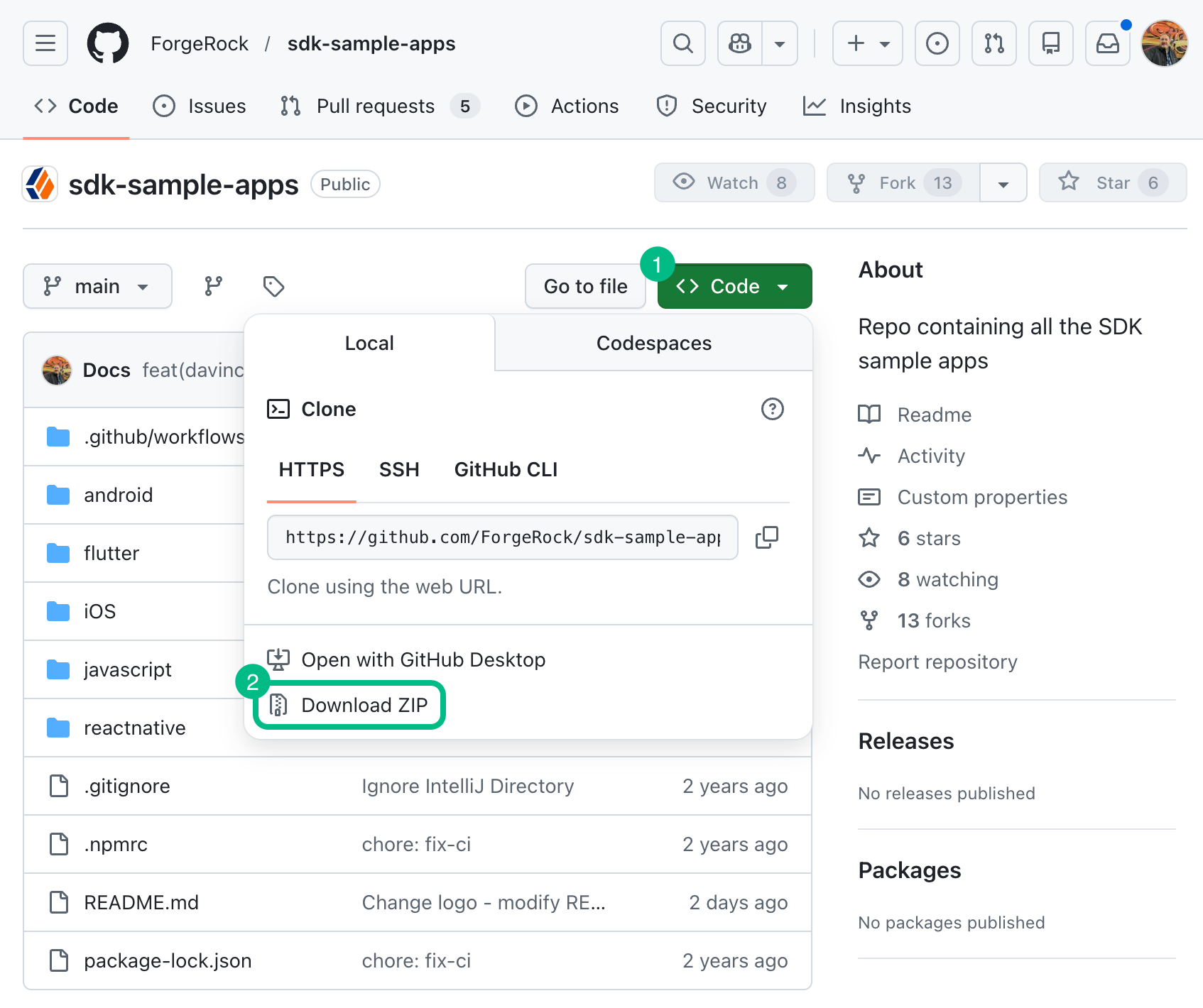 Figure 1. Downloading a zip file of the sample apps repo.
 -
Extract the contents of the downloaded ZIP file to a suitable location.
-
- Use a Git-compatible tool to clone the repo locally
-
-
Click Code, and then copy the HTTPS URL.
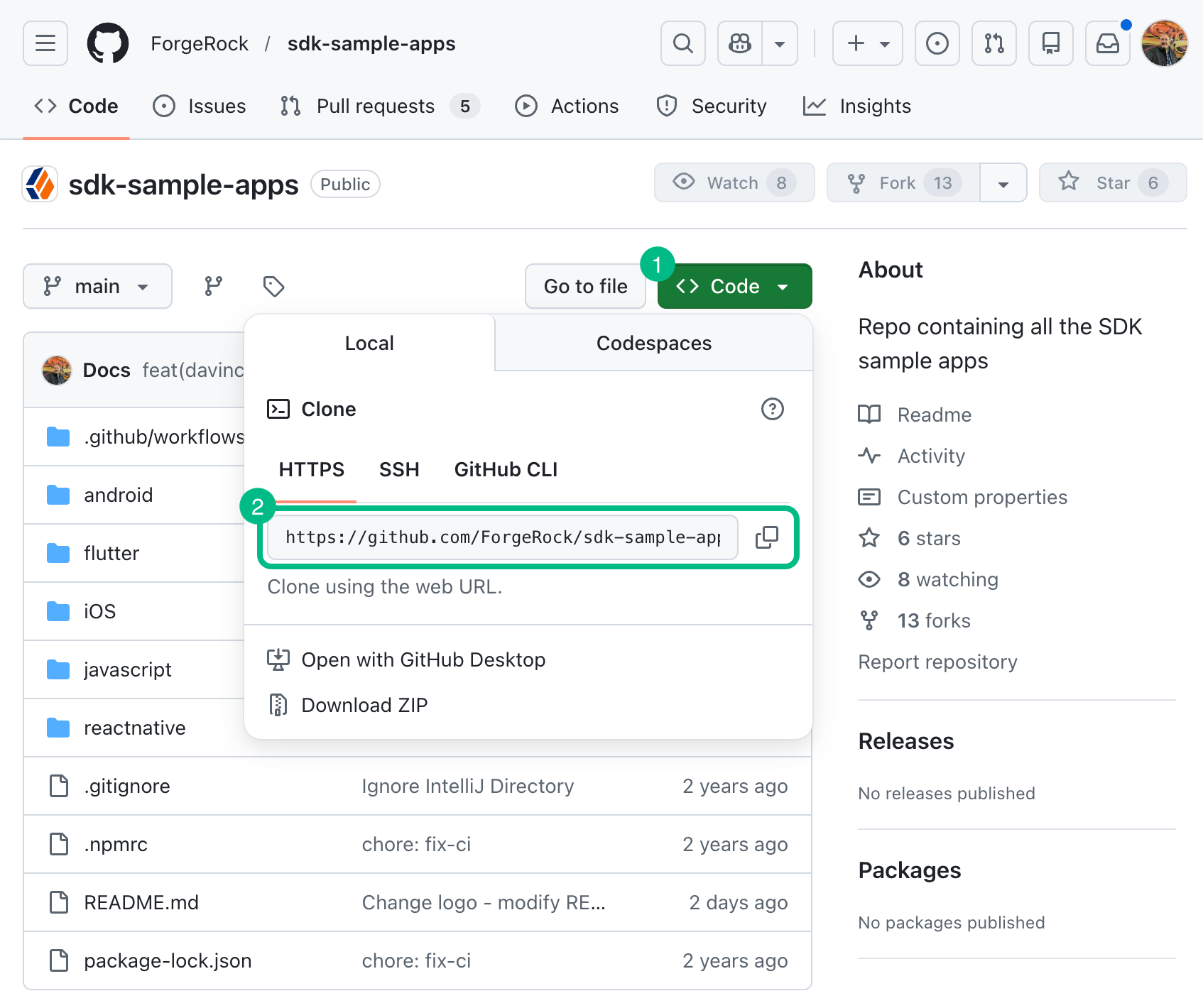 Figure 2. Downloading the sample apps repo using Git clone.
 -
Use the URL to clone the repository to a suitable location.
For example, from the command-line you could run:
git clone https://github.com/ForgeRock/sdk-sample-apps.git
-
After completing these steps, you will have a local folder named sdk-sample-apps. Inside, you’ll find separate folders for the Android, iOS, JavaScript, and React Native sample app projects.