Figure 1. A flowchart illustrating how risk predictors evaluate many different data points.
Your app can gather information during a transaction, return this information to PingOne Protect, and request a risk evaluation.
Based on the response from PingOne Protect, you can choose whether to allow or deny the transaction or perform additional mitigation, such as bot detection measures.
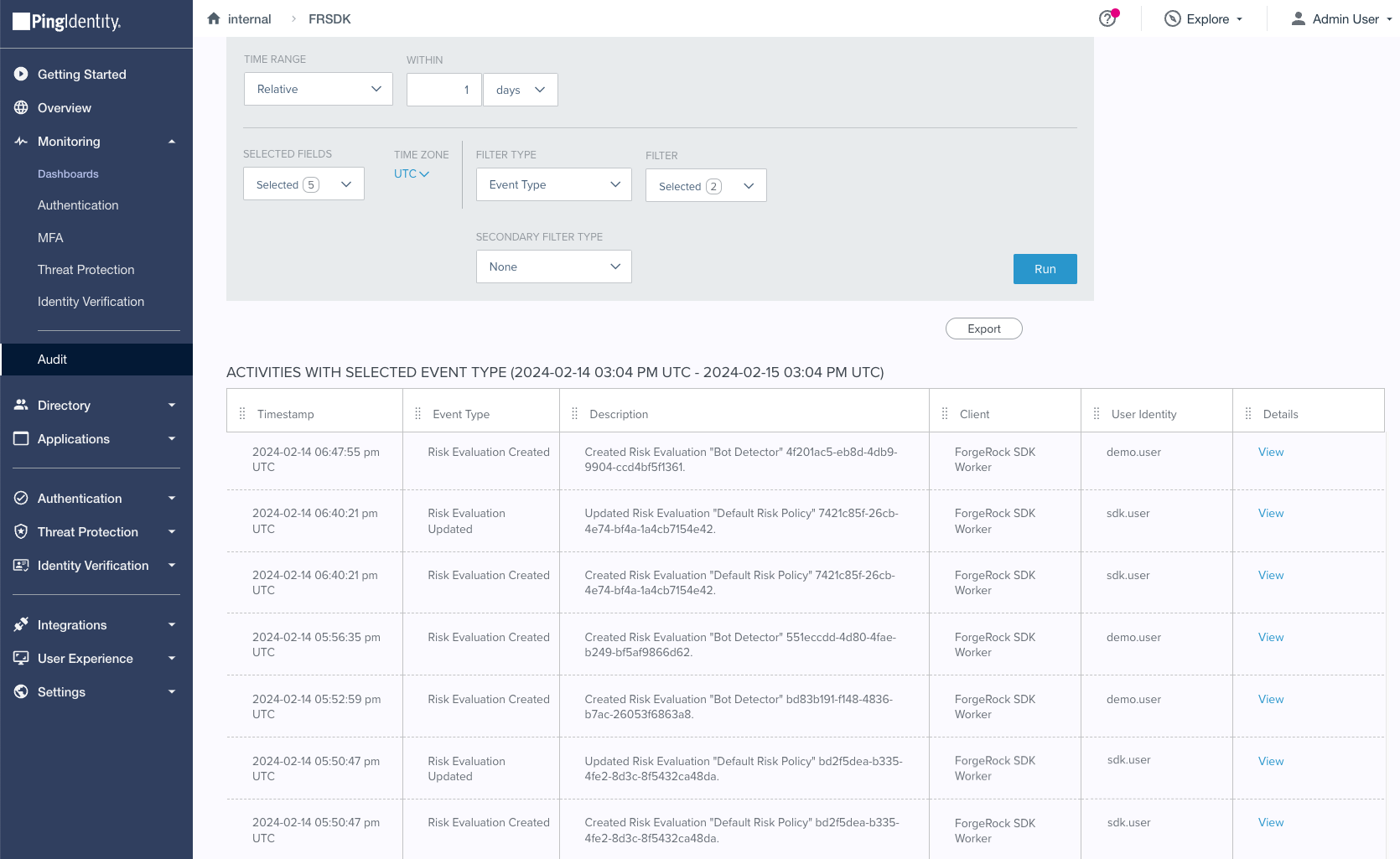
You can use the audit functionality in PingOne to view the risk evaluations:
Figure 2. Risk evaluation records in the PingOne audit viewer.
You must set up your PingOne Advanced Identity Cloud or PingAM server, and your PingOne instance to perform risk evaluations.
For example, you create a worker application in PingOne and configure your server to access it. You also create an authentication journey that uses the relevant nodes.
Integrate client apps with PingOne Protect auth journeys
Select your platform to discover how to configure your client application to perform PingOne Protect risk evaluations when you are using Advanced Identity Cloud or PingAM auth journeys: