Step 3. Authenticating with external IdPs
PingOne iOS
Your app must handle the IdpCollector your server returns when it is time to authenticate using an external IdP.
Call authorize() to begin authentication with the external IdP when encountering this callback as follows:
public class SocialButtonViewModel: ObservableObject {
    @Published public var isComplete: Bool = false
    public let idpCollector: IdpCollector

    public init(idpCollector: IdpCollector) {
        self.idpCollector = idpCollector
    }

    public func startSocialAuthentication() async -> Result<Bool, IdpExceptions> {
        return await idpCollector.authorize()
    }

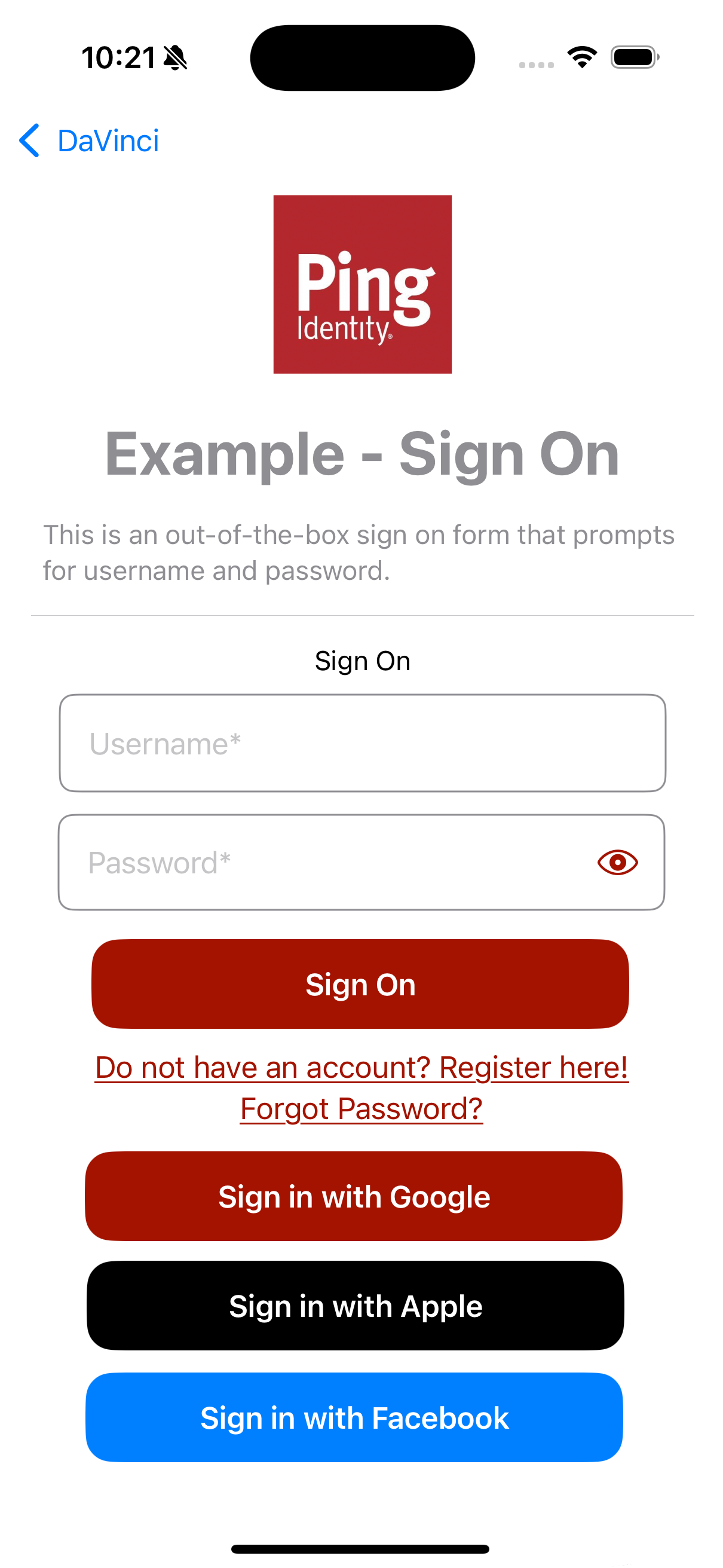
    public func socialButtonText() -> some View {
        let bgColor: Color
        switch idpCollector.idpType {
        case "APPLE":
            bgColor = Color.appleButtonBackground
        case "GOOGLE":
            bgColor = Color.googleButtonBackground
        case "FACEBOOK":
            bgColor = Color.facebookButtonBackground
        default:
            bgColor = Color.themeButtonBackground
        }
        let text = Text(idpCollector.label)
            .font(.headline)
            .foregroundColor(.white)
            .padding()
            .frame(width: 300, height: 50)
            .background(bgColor)
            .cornerRadius(15.0)

        return text
    }
}
The authorize() method returns a Success result when authentication with the external IdP completes successfully. If not, it returns Failure and IdpExceptions, which shows the root cause of the issue.
Task {
    let result = await socialButtonViewModel.startSocialAuthentication()
    switch result {
    case .success(_):
        onNext(true)
    case .failure(let error): //<- Exception
        onStart()
    }
}
The result resembles the following:
Enabling Facebook Limited Login
On receipt of a Facebook-specific collector, you can optionally set the facebookLimitedLoginEnabled property on it before calling authorize():
if idpCollector.idpType == "FACEBOOK" {
    idpCollector.facebookLimitedLoginEnabled = true
}

let result = await idpCollector.authorize()
The property defaults to false, which preserves classic login and its OAuth access-token payload.
When set to true the Orchestration SDK uses the Limited Login flow, and sends an OIDC ID-token payload.
|
To use Facebook Limited Login, you must Configure Facebook Limited Login in PingOne. |