Introducing OIDC Sign-on
PingOne PingOne Advanced Identity Cloud PingAM OIDC-compliant servers Android iOS JavaScript React Native
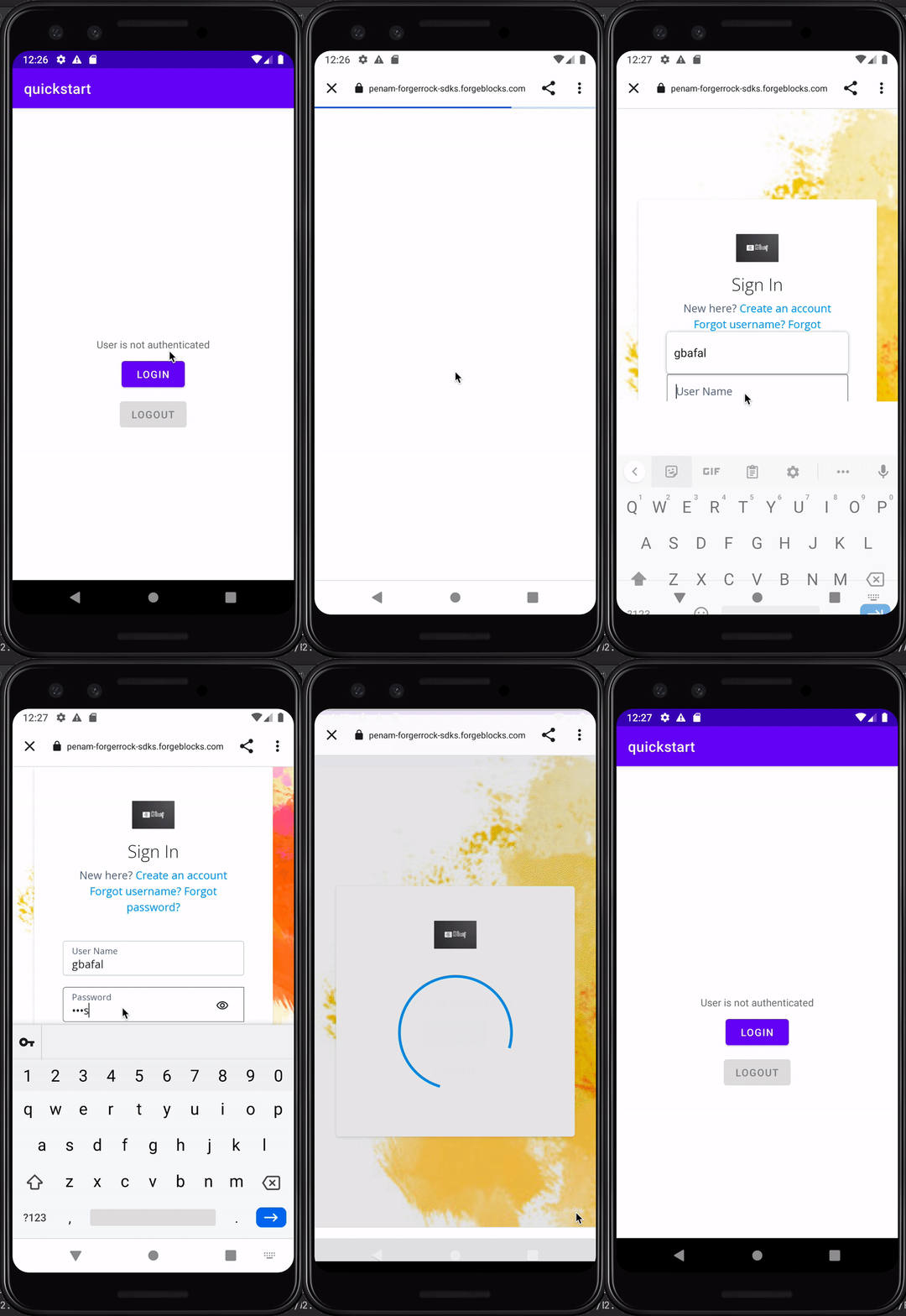
The OIDC module can help you to sign on to your authorization server using an OpenID Connect flow, and leveraging the server’s own UI to authenticate your users in your apps.
We call this OIDC sign-on, but it was previously known as centralized login.
With this option, you reuse the same, centralized UI for sign-on requests in multiple apps and sites.
When a user attempts to log in to your app they are redirected to your server’s central sign-on UI. After the user authenticates, they are redirected back to your app.
Changes to authentication journeys or DaVinci flows are immediately reflected in all apps that use OIDC sign-on without the need to rebuild or update the client app.
Likewise, any features your server’s UI supports are also available for use in your web or mobile apps.