Orchestration SDKs

Integrate with Google reCAPTCHA Enterprise

PingOne Advanced Identity Cloud PingAM Android iOS JavaScript

Google ReCAPTCHA Enterprise uses advanced risk analysis techniques to distinguish between humans and bots. reCAPTCHA Enterprise is useful when you want to detect automated attacks or threats against your website or mobile apps.

These threats typically originate from scripts, mobile emulators, bot software, or humans.

Google reCAPTCHA Enterprise offers enhanced detection compared to earlier versions, with more granular scores, reason codes for risky events, mobile app SDKs, password breach and leak detection, multi-factor authentication (MFA), and the ability to tune your site-specific model to protect enterprise businesses.

Understand how the SDKs work with Google reCAPTCHA Enterprise

The following diagram outlines the flow of information between the client that is using the Orchestration SDKs, the reCAPTCHA Enterprise node in your journey, and the Google reCAPTCHA servers:

token-vault
  1. The SDKs start or continue an authentication journey by visiting the /authorize endpoint

  2. The next step in the journey is the reCAPTCHA Enterprise node, so the journey returns the a ReCaptchaEnterpriseCallback to the client.

  3. The client uses the values in the callback to request a token from the reCAPTCHA server.

  4. The reCAPTCHA server returns a unique token for the transaction to the client.

  5. The client adds the token to the callback and returns it to the node.

    You can also add custom data to the payload that forms the assessment.

  6. The node submits the data collected on the client to the reCAPTCHA server for assessment.

  7. The reCAPTCHA server returns the response to the request to the node.

    You can enable to the Store reCAPTCHA assessment JSON option in the node to save this data in the state for additional processing later in the journey.

    The node stores the JSON in a variable named CaptchaEnterpriseNode.ASSESSMENT_RESULT.

    The node verifies the response against the Score threshold you configure in the node, and continues the journey along the relevant outcome, true or false.

  8. The client handles the next node as the journey continues.

Set up a journey for reCAPTCHA Enterprise

To enable reCAPTCHA Enterprise, add the reCAPTCHA Enterprise node to a journey:
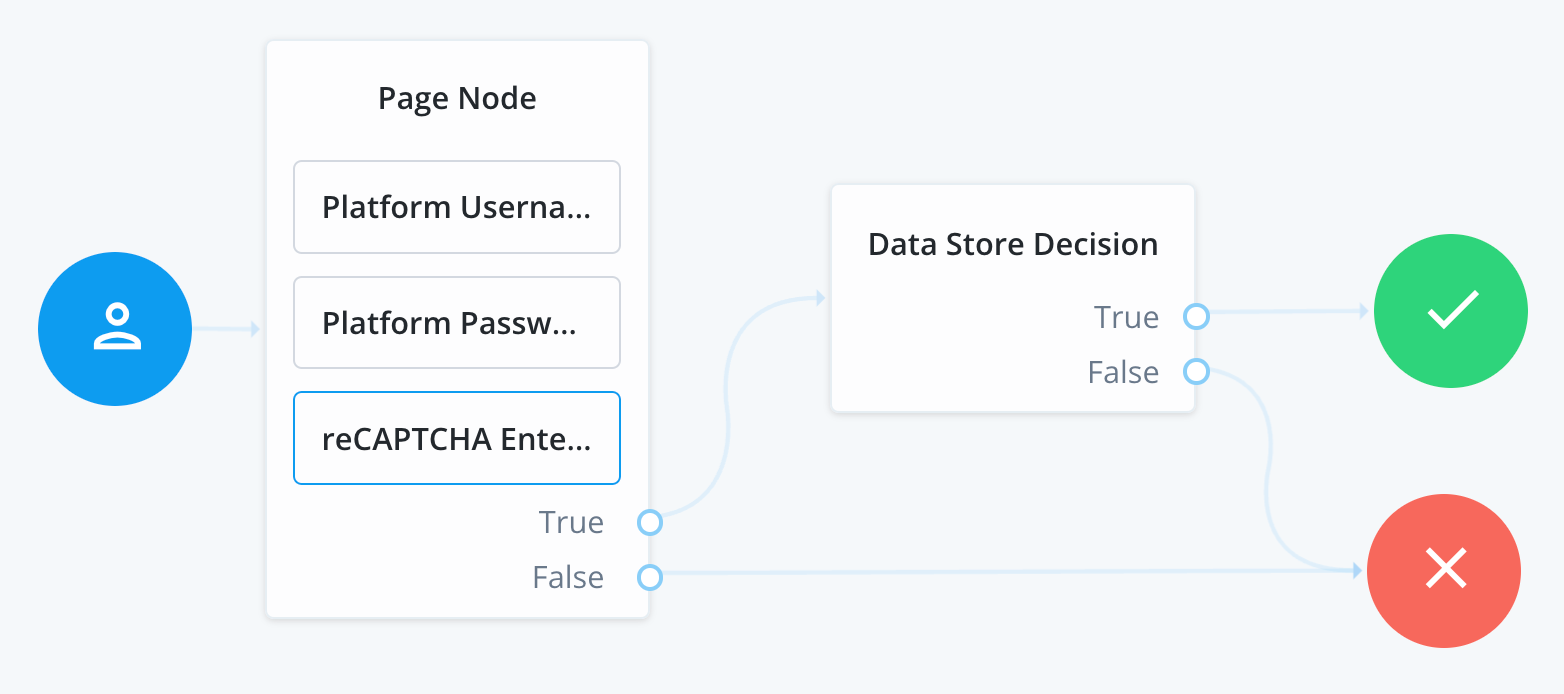
Sample reCAPTCHA Enterprise journey
Figure 1. Sample reCAPTCHA Enterprise journey

This node returns a ReCaptchaEnterpriseCallback callback that the SDKs can handle to perform the reCAPTCHA Enterprise assessment.

Configure client apps for reCAPTCHA Enterprise