Viewing paired accounts on Android
PingOne Android
After pairing, you can list the PingOne MFA accounts associated with the paired device:
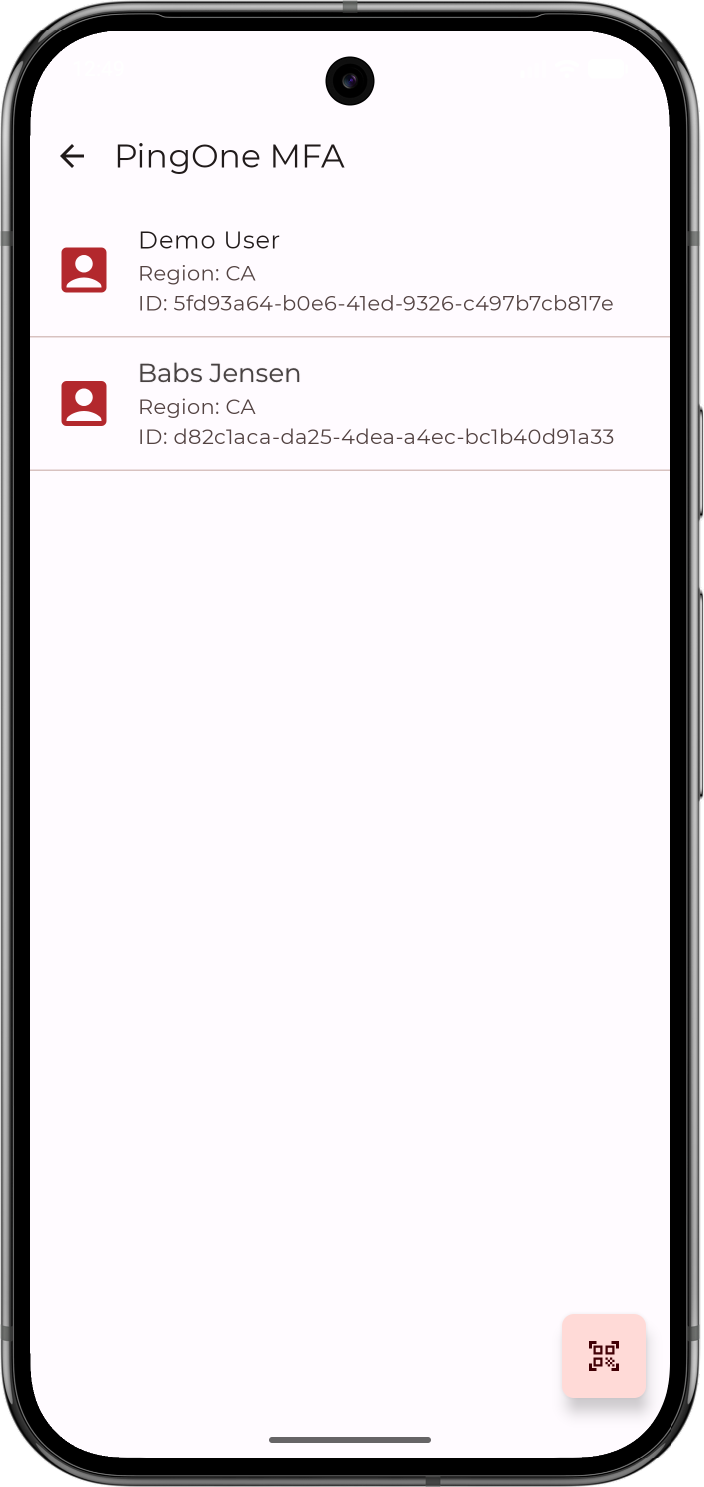
This works the same whether the device was paired in a DaVinci flow or with a QR code or pairing key.
To list PingOne MFA accounts for a device, call getDeviceInfo(). The function suspends and returns a pair consisting of a list of the accounts paired on the device, and a list of diagnostic errors. The error list is null unless the SDK encountered errors while retrieving the account data:
PingOneMFA.getDeviceInfo().onSuccess { (accounts, diagnosticErrors) ->
    accounts.forEach { account ->
        Log.d("MFA", "${account.username} | region: ${account.region}")
    }
    // diagnosticErrors is non-null only when the SDK returned partial error info alongside
    // valid data. The account list is still safe to use; log the errors for debugging.
    diagnosticErrors?.forEach { err ->
        Log.w("MFA", "Diagnostic: code=${err.code} info=${err.userInfo}")
    }
}
Each element of accounts is a PingOneMfaAccount object.
For example, a device paired for a single user in the North America region returns an object similar to the following:
{
  "region": "NA",
  "id": "9c7d4a1e-83f2-4b6e-a5d0-2f1c9e8b7a64",
  "deviceId": "3f5a2c8d-1e4b-4f9a-b6c7-8d0e2f4a9b13",
  "environment": "b2e1f9a4-6c3d-4e8f-9a2b-5d7c1e3f6a80",
  "username": "jdoe@example.com",
  "name": "Jane",
  "family": "Doe"
}
The properties are:
| Property | Description |
|---|---|
|
The PingOne service region the account belongs to, for example The SDK queries all regions and aggregates the results, so a device can hold accounts in more than one region. |
|
The PingOne user ID. |
|
The ID PingOne assigned to this pairing. |
|
The PingOne environment ID the account belongs to. |
|
The account’s login username as returned by the PingOne server. |
|
The user’s given name, or |
|
The user’s family name, or |