Overview
|
The AIC Remote MCP Server is an opt-in feature. Ping Identity Support must enable it per tenant before you can use it. To request enablementOpen a support case and provide the following information:
Support case screenshots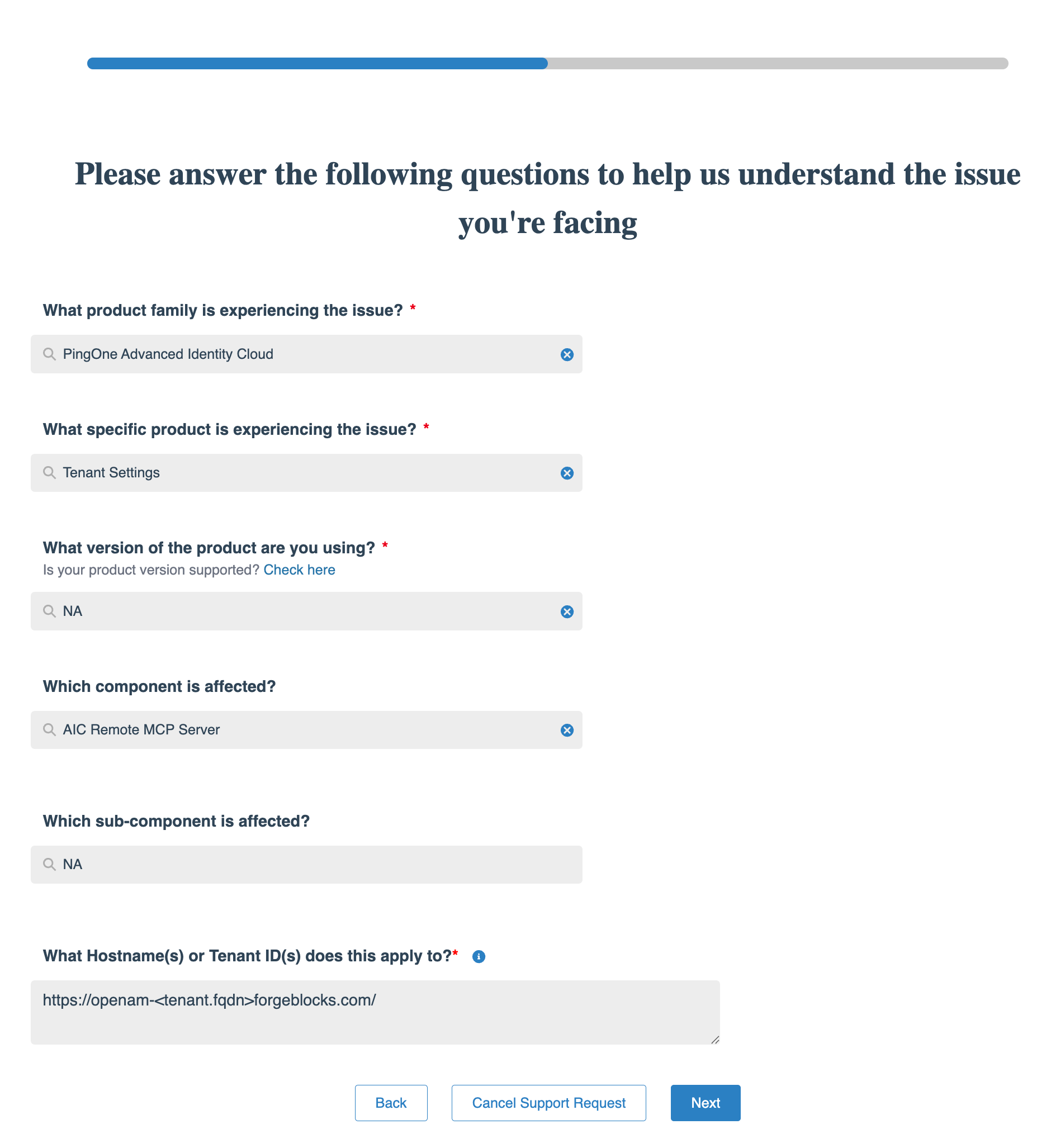
Enablement request: product and tenant details
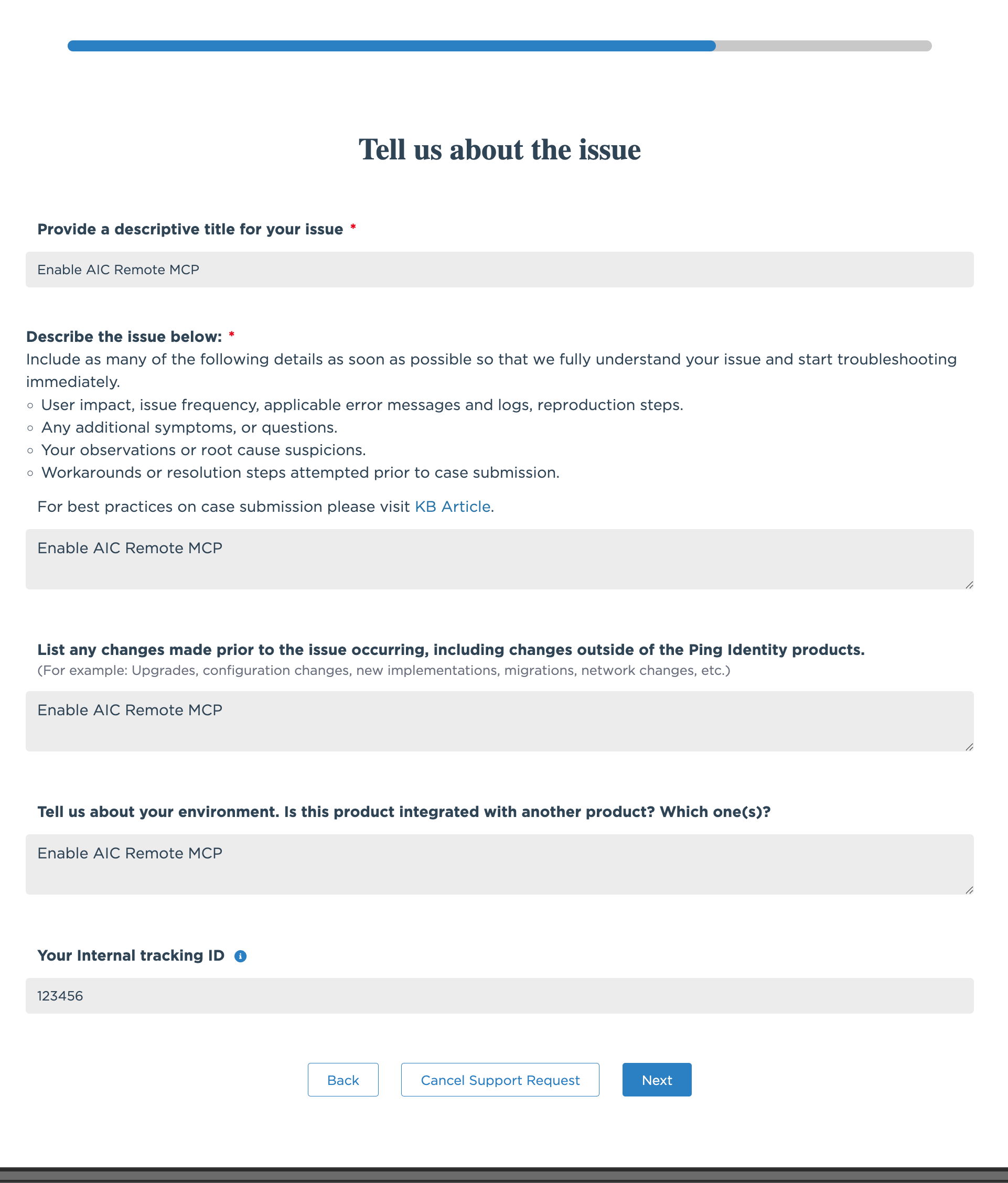
Enablement request: issue details
|
The AIC Remote MCP Server is an HTTP-based Model Context Protocol (MCP) server hosted by Ping Identity that lets AI agents interact with your PingOne Advanced Identity Cloud environments over the network. Point your MCP client at a hosted endpoint, sign on with your Advanced Identity Cloud administrator account through OAuth 2.0, and issue natural-language prompts. MCP exposes Advanced Identity Cloud’s REST APIs as a set of tools the AI agent can invoke.
Remote versus local
Use the AIC Remote MCP Server for new projects. Future tooling and features are prioritized here over the local stdio AIC MCP Server.
Environments and access
Available tools are gated by the mutability of the PingOne Advanced Identity Cloud environment you connect to:
| Environment | Available tools |
|---|---|
Sandbox[1] and development (mutable) |
Full tool set. Read, write, and delete across every category. |
UAT[2], staging, and production (immutable) |
Read-only tools, plus the report-authoring tools ( |
Use cases
| Category | Example prompts |
|---|---|
Journey and script management |
"Create a new MFA journey", "Add a scripted decision node to the registration flow" |
Application and identity provider management |
"Create an OIDC app called MyPortal", "Configure a Google OIDC identity provider" |
Identity operations |
"Find all users with admin in their username", "Update the email for user xyz123" |
Themes and branding |
"Create a branded theme with our corporate colors", "Set the new theme as default" |
Policy and notifications |
"Set the minimum password length to 12 for alpha users", "Configure the outbound SMTP provider" |
CORS and network policies |
"Create a CORS policy allowing https://example.com" |
Reporting |
"Run the user last login report for the past 30 days", "Create a custom report showing users by city" |
Audit and logging |
"Show me failed login attempts in the last hour", "Find all logs for transaction abc-123" |
ESVs and feature management |
"Create a new API key variable", "Enable AI Agents" |
Key features
-
Hosted by Ping: Ping deploys and updates the server for each tenant. You don’t install or maintain anything locally.
-
Natural language interaction: Administer PingOne Advanced Identity Cloud from whichever AI client you use daily.
-
Broad tool coverage: Across identity, orchestration, applications, branding, policy, network, observability, and reporting. Refer to Available Tools for the full catalog.