We Rebuilt the PingOne API Docs. Here’s What’s New.
A walkthrough of the new PingOne API docs experience, including faster navigation, in-browser request testing, and smarter search.

Introduction
If you build integrations, you probably spend a lot of time staring at API documentation. So when we decided to overhaul the PingOne API docs, our goal was simple: get out of your way and make it easier for you to actually test and write code.
The new site officially went live in early January. Here’s a quick rundown of what changed and how to use the new features.
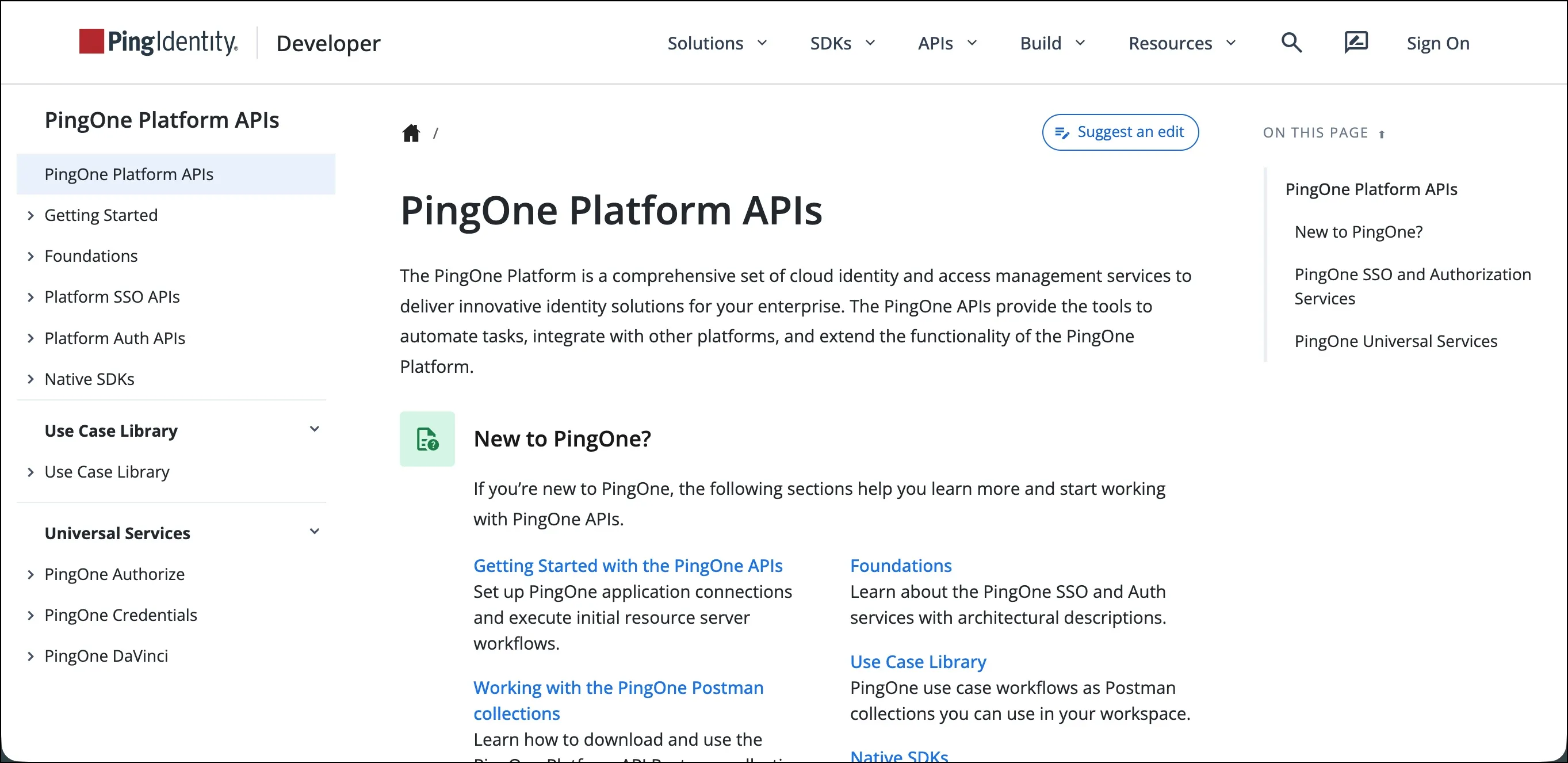
It’s a lot faster and easier to navigate
The most obvious improvement is performance. The site loads faster, the pages are lighter, and the layout now matches the rest of the Ping Identity documentation ecosystem.
We also reorganized the navigation so you don’t have to dig through endless menus to find helpful information:
- New to PingOne? We have plenty of resources to help you get up and running quickly. Jump into our Getting Started guide, explore Foundations, or follow along with step-by-step tutorials in the Use Case Library.
- Learn about APIs: You can dive straight into the PingOne Platform SSO or Auth APIs to see detailed info on all endpoints, which are logically grouped by functional area.
- Universal services: These now have their own dedicated section, making it clearer how they fit into the wider Ping Identity portfolio.
- Smart search: If you still can’t find what you need, the search bar now uses the same AI-assisted backend as our other doc sites.
Test endpoints in your browser
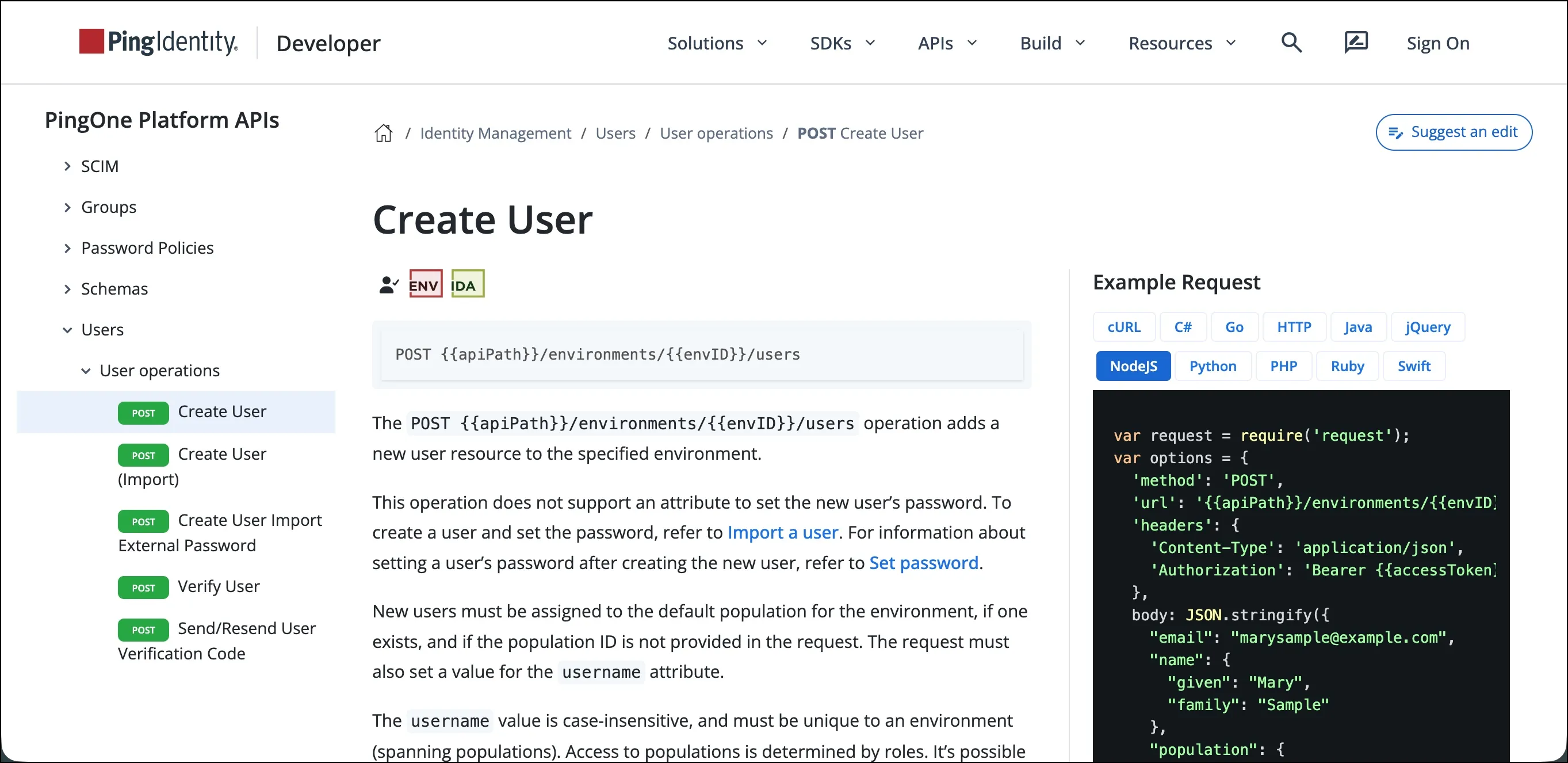
For every endpoint, you’ll see example requests and responses in multiple programming languages. More importantly, we completely rebuilt the Try Request feature:
- Live testing: Plug in your parameters, hit the button, and get real API responses back immediately.
- Persistent parameters: You no longer have to copy and paste the same environment or user IDs over and over. Your parameters carry over from one API call to the next. This includes access tokens, so you don’t have to constantly re-authenticate.
- Secure local storage: To keep things safe, those variables only live in your web browser’s session storage. The second you close the tab, they’re gone.
Update your bookmarks
To keep things simple, all developer-focused content, including cloud and on-premise APIs, now lives in one place: the Developer Portal.
Check out the new PingOne API docs at developer.pingidentity.com/pingone-api.
Let us know what you think
This launch was a massive effort, but the work doesn’t stop here. Documentation is never really “finished.”
Give the new site a spin. If you run into a weird bug, see a typo, or have any suggestions, let us know by clicking the feedback icon in the top-right corner of each page.
Happy coding!
Next steps
- Visit our new PingOne API documentation.
- Check out developer resources for all Ping Identity products at developer.pingidentity.com.
- Join the discussion on the Ping Identity Developer Community.