Using the new Use Case Library for fast onboarding with PingOne APIs
Our redesigned Getting Started and Use Case Library Postman collections help you fast-track your PingOne API journey.

Introduction
PingOne APIs pull back the curtain to reveal precisely how PingOne sign-on flows work. From application configuration and user registration to calling the PingOne authorization server to initiate a flow, the APIs show you the detailed request and response data for each step. Whether you want a simple username/password flow, a passwordless flow, or something more intricate, the PingOne APIs are a powerful tool for getting the job done and for understanding how PingOne works.
Syncing the Postman collections
The PingOne API developer doc library contains two key resources to fast-track your API journey: Getting Started and Use Case Library. The three tasks in Getting Started walk you through the process of getting a PingOne admin access token and using that token to call PingOne APIs.
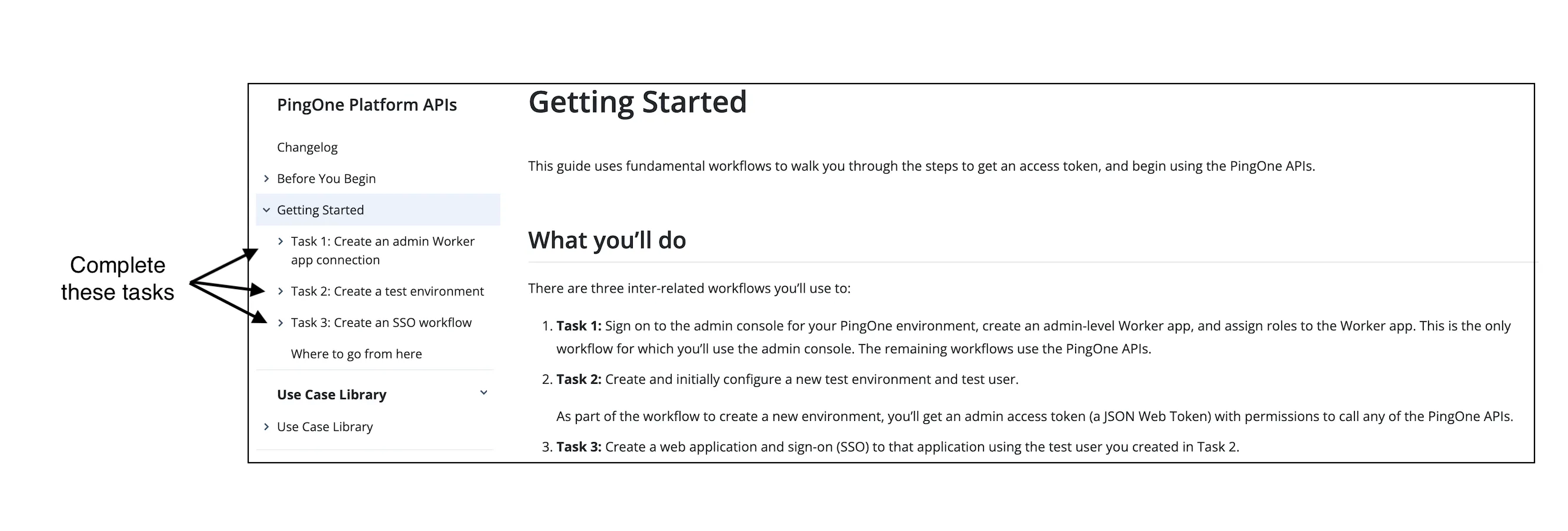
First, use the admin console to create the PingOne admin Worker application needed to issue an admin access token that gives you permission to run PingOne APIs. With an admin access token, you can then create a test environment, configure a web application, and define a test user, which are essential resources for running sign-on flows.
Exploring the use cases
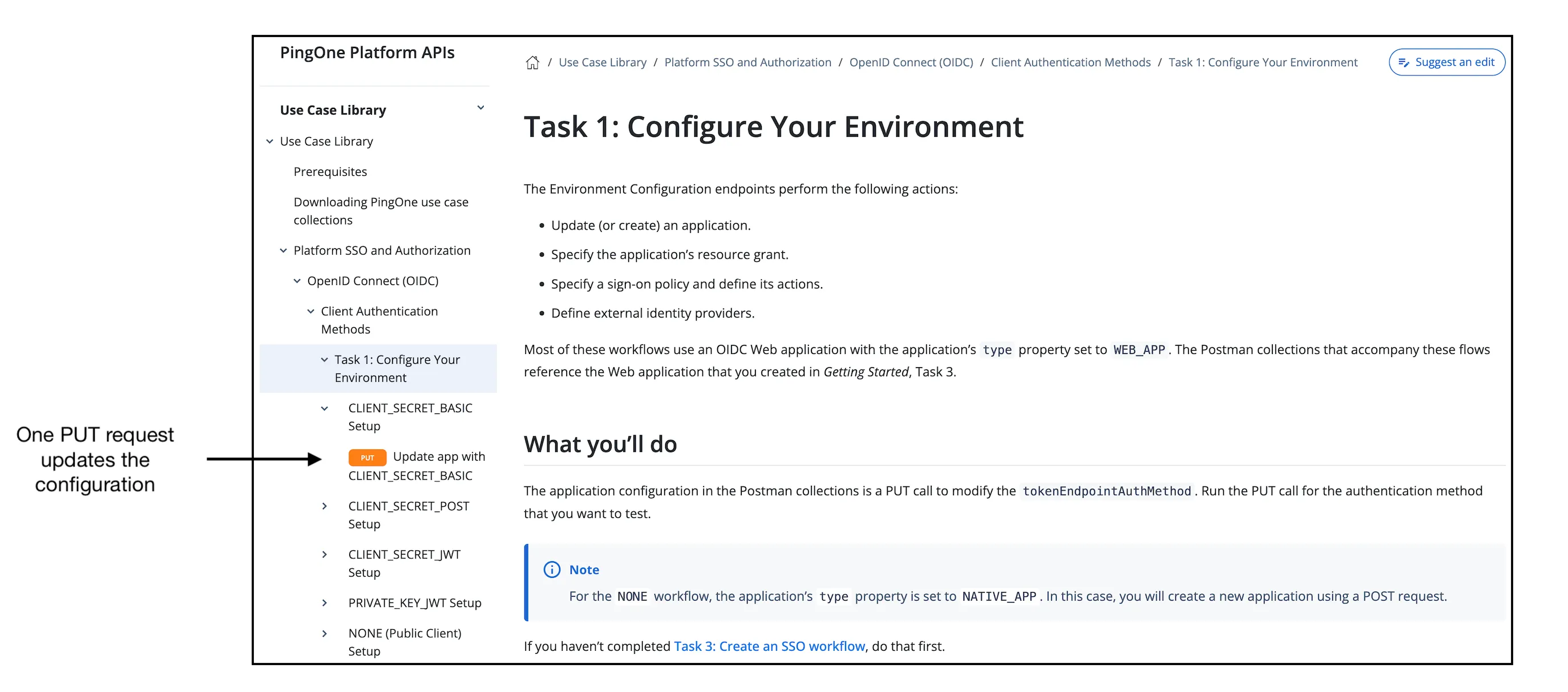
The use cases align with PingOne best practices and give you steps to configure and run a wide range of sign-on flows. Building on the assets you created in Getting Started, the use cases streamline the environment and runtime endpoint configurations. For example, PingOne supports five methods for authenticating the token request. To explore how the flow differs based on token authentication method, the Use Case Library Postman collection contains a simple PUT request that operates on the asset you created in Getting Started to set the app configuration for your chosen method.
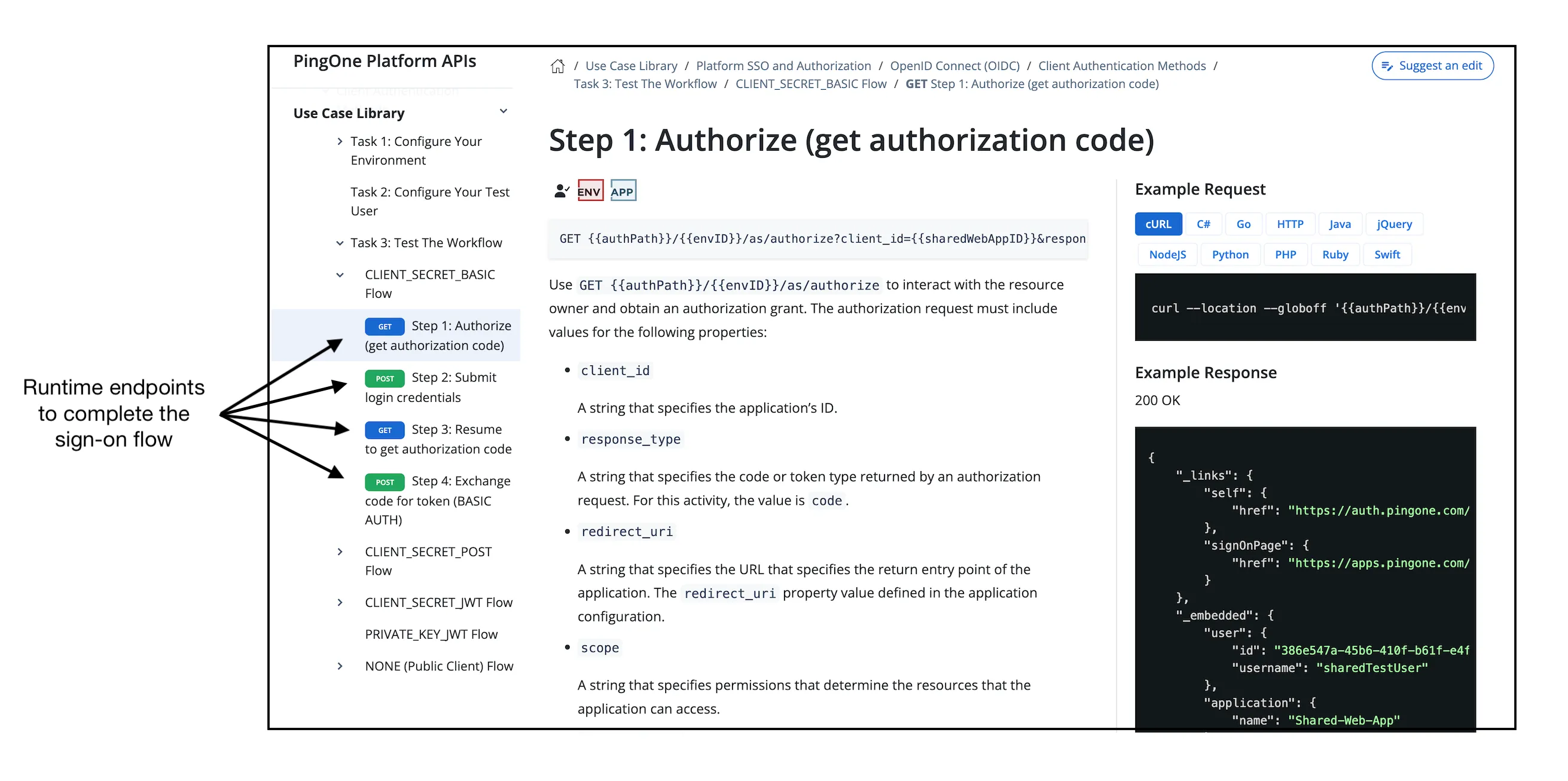
In addition, the Postman collection includes runtime endpoints precisely configured to test the flow based on your application settings. You can see the parameters required by the authorization request to initiate the flow based on your application’s configuration, and the properties needed in the token request to return an access token.
The Use Case Library contains a diverse collection of flows, including:
-
Device authorization for OAuth-enabled devices, such as smart TVs.
-
Consent agreement to obtain a user’s agreement to a policy.
-
Progressive profiling to add data to a user’s profile.
-
Multifactor authentication flows for greater security.
-
Passwordless authentication flows.
-
Proof Key for Code Exchange (PKCE) authentication flows.
-
DaVinci sign-on and registration flows.
These use cases show you how the configuration and runtime endpoints work together to build the flow. Think of them not only as a hands-on tutorial but also as a starting point for further development and experimentation with PingOne APIs.
Let us know what you think
Download the Postman collections for your favorite use cases and give it a try. If you have ideas about use cases that we haven’t covered in the updated content, let us know by clicking the feedback icon in the top-right corner of any page.
Enjoy the ride!
Next steps
- Try Getting Started.
- Try Use Case Library.
- Check out the Developer Portal.
- Check out the Ping Identity Developer Community.